17.09.26
|Reading time:
2 min
New at Lightspeed: Scan to Pay
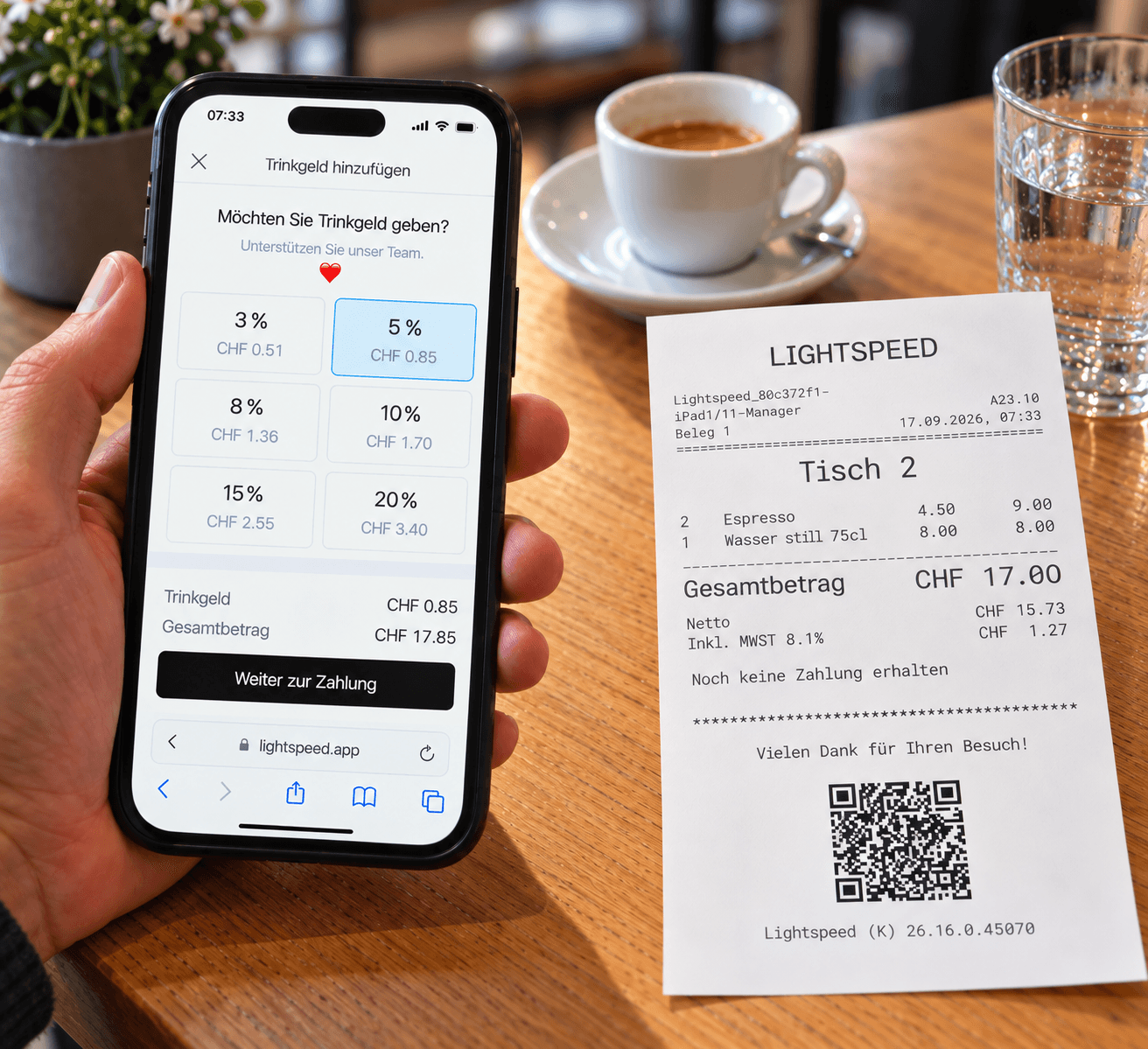
The guest has finished, wants to pay and leave. But the card terminal is currently at another table. This is where Scan to Pay comes in: guests can scan the QR code on the printed bill and complete the payment directly on their own smartphone.
Once the full outstanding amount has been paid, the payment is confirmed in the system and the table is closed automatically.
Split the bill, add a tip and pay
Scan to Pay gives guests different ways to settle their bill. They can pay the full amount, select individual items or enter a specific partial amount.
Before paying, they can also choose a suggested tip or enter their own amount.
Depending on the available and activated payment methods, guests can pay with:
- Credit cards
- Debit cards
- American Express
- Apple Pay
- Google Pay
- TWINT
What does Scan to Pay mean for service?
The service team prints the bill as usual. There is no need to bring a card terminal to the table for the payment. Guests can pay as soon as they are ready.
Transactions processed through Scan to Pay are also included in Lightspeed Payments reports.
Set up Scan to Pay in your restaurant
Vendomat supports you with the setup and remains available for any questions about Scan to Pay and Lightspeed Payments afterwards.
Would you like to use Scan to Pay in your restaurant? We are happy to help you with the setup.